Create Time Entry at Note
You can create time entry for the billable hour you spend on writing the notes.
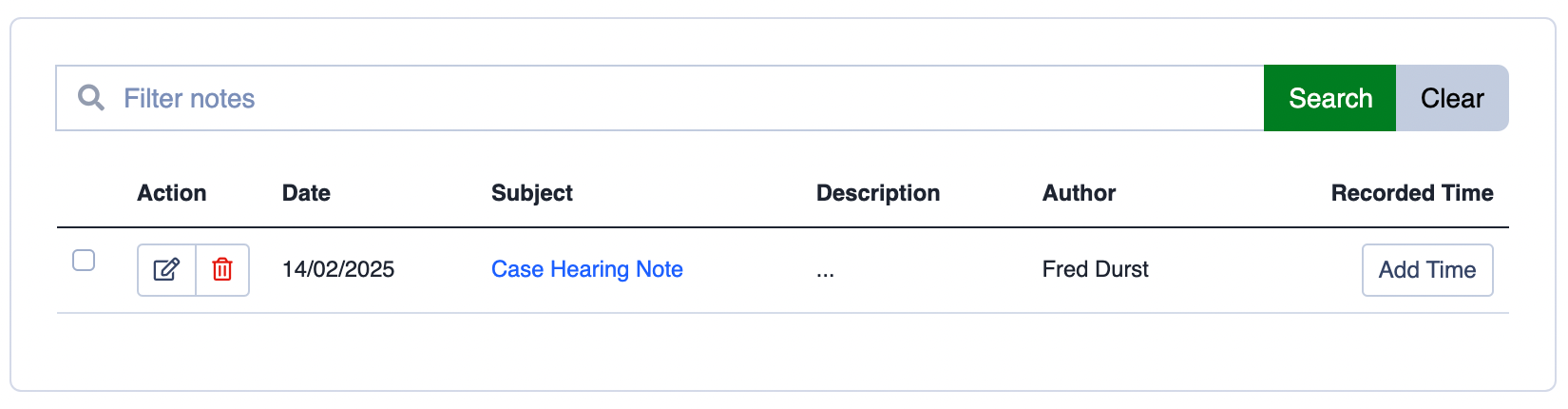
Follow these simple steps;
- Click on Add Time at the Note you want to log the time.
- A New Time Entry modal will appear.
- Enter informations at New Time Entry modal. Most importantly the time logged, select the appropriate Activity Category and the date of the entry.
- Describe your activities for the event you logged here. It is very important to write it in detail as this will appear in the Invoice item line for your client to review.
- You can still adjust the rate if the rate should be different than the one set in the Activity Category earlier.
- You can also decide whether to make this time entry a billable or non-billable activity by checking the Non-billable checkbox.
- Lastly, click on Create Time Entry to save the activity.
Categories